如果你经常需要启动终端或 Shell 命令,你可以从 Alfred 内部完成。
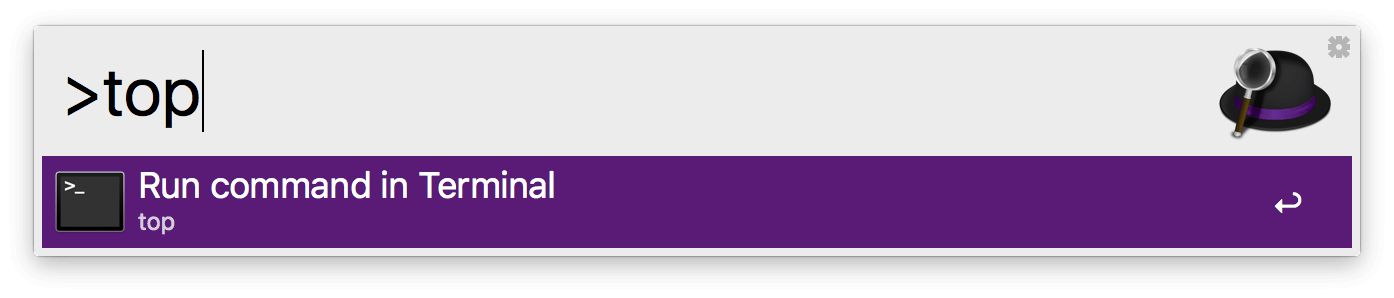
在你的 Shell 命令前加上 >,终端就会启动并为你运行该命令。
更改终端偏好设置
在 Terminal / Shell 偏好设置中,你可以从下拉菜单选择 > 之外的其他前缀。你还可以选择不同的终端应用;默认情况下,我们支持 macOS 的「终端」App。
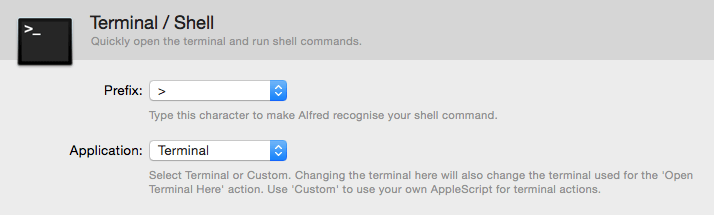
自定义终端集成
如果你想为终端应用使用你自己的 AppleScript 来执行终端操作,请从下拉菜单选择「Custom」选项。
将自定义终端 AppleScript 包裹在 alfred_script(q) 与 end alfred_script 之间,例如:
on alfred_script(q)
    tell application "Terminal"
        activate
        do script q
    end tell
end alfred_script
iTerm2 集成
如果 iTerm2 是你首选的终端应用,你可以在 Vítor Galvão 的 Custom iTerm Applescripts for Alfred GitHub 页面找到它的集成脚本。
使用终端进行进阶任务
如果你想运行更复杂的脚本与 AppleScript,看看工作流功能,它允许你创建与关键字和热键相连接的进阶脚本。
你还可以从工作流启动「在终端中浏览」操作。